Please Note: Before storing the tire pressures, ensure the tire pressures of each of your 4 Audi tires meet the specified values and are adapted to the load.
Turn your Audi ignition on by pressing the Start/Stop button to the right of your steering wheel.
Locate “Vehicle” on the home screen of your Audi MMI® infotainment system.”
Push “Vehicle” on the home screen.
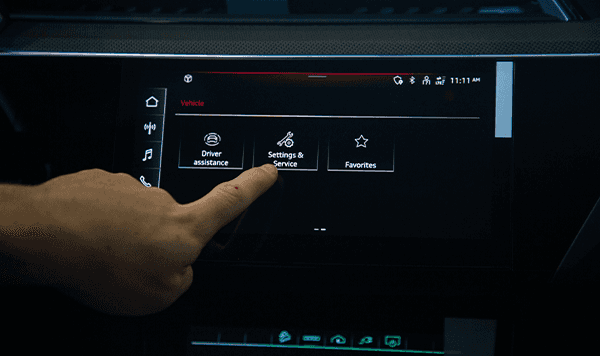
Swipe screen to the left to access the 2nd page of the Vehicle Options menu. Locate the “Settings and Service.”
Press “Settings and Service.”
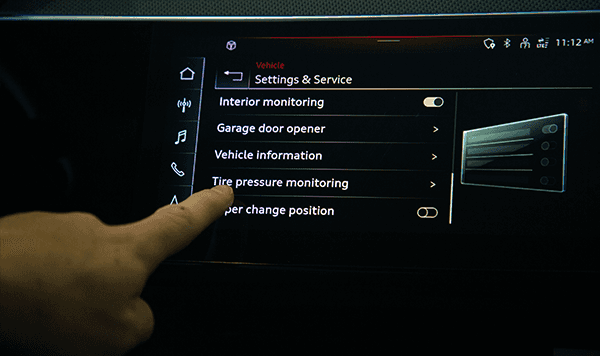
Locate “Tire Pressure Monitoring” in the “Setting and Service” menu. Select it.
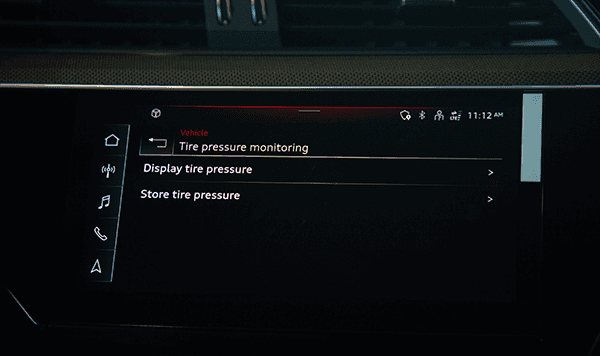
Then, select “Store Tire Pressure.”
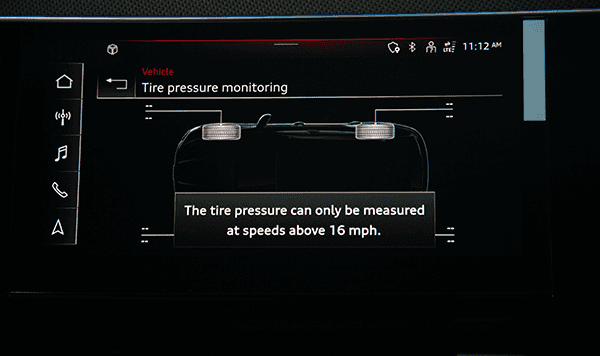
A display of your Audi vehicle will pop up with 4 tire pressure for all tires. Inflate the tires to your desired PSI.
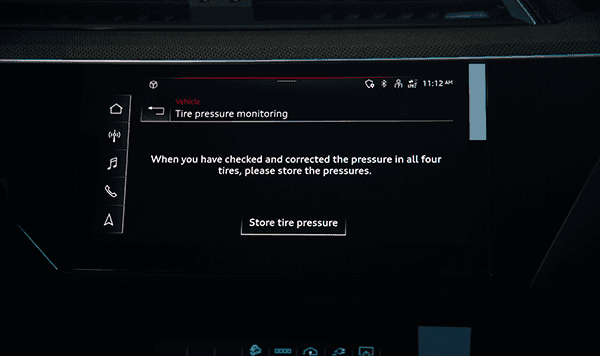
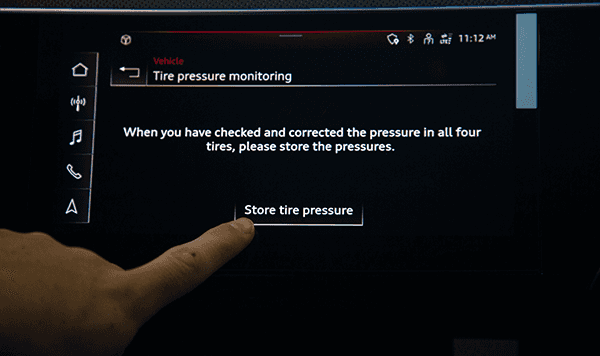
Another screen will pop up. Locate and select “Store Tire Pressure.”
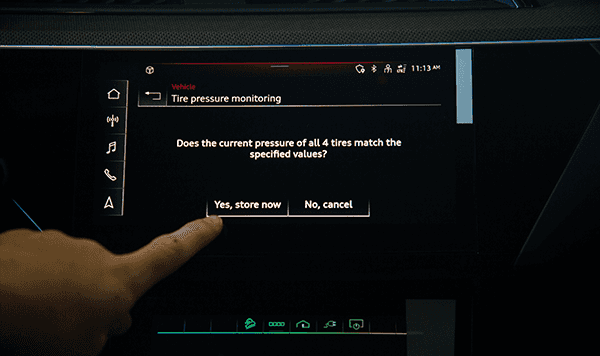
A secondary screen with a pop up question will appear confirming the tire pressure you want matches the current PSI in your tires at that moment. Press “Yes, store now.”
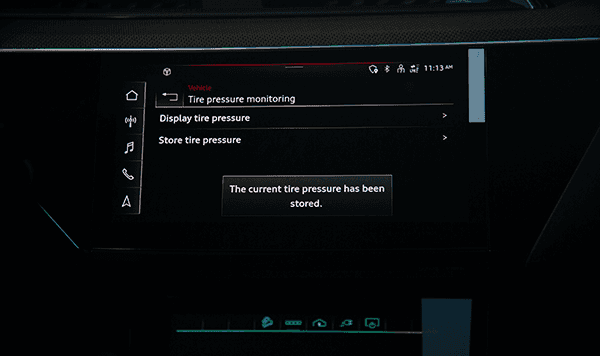
A confirmation screen appears stating that all tire pressures have been stored correctly.